Catch the moment.
Start with the camera, capture your scene, and build a sequence as you go.
Record vizzywigby i4software
VIDEO CAMERA + EDITOR · iPHONE & iPAD
The best moments don’t wait for the edit. Make your movie as you shoot it.
Recording and exporting require a subscription.

VIZZYWIG
Vizzywig brings video recording and editing into one creative workflow. Shape your movie between takes, then refine the final cut without switching apps.
Start with the camera, capture your scene, and build a sequence as you go.
RecordTrim a take, rearrange your clips, and make creative decisions while the moment is fresh.
ShapeAdd titles, music, an intro and credits. Export the finished movie to your Camera Roll or share it.
FinishCAPTURE / EDIT / FINISH
A closer look at the tools behind the camera-to-movie workflow. Available capture formats and camera combinations depend on the device and recording mode.
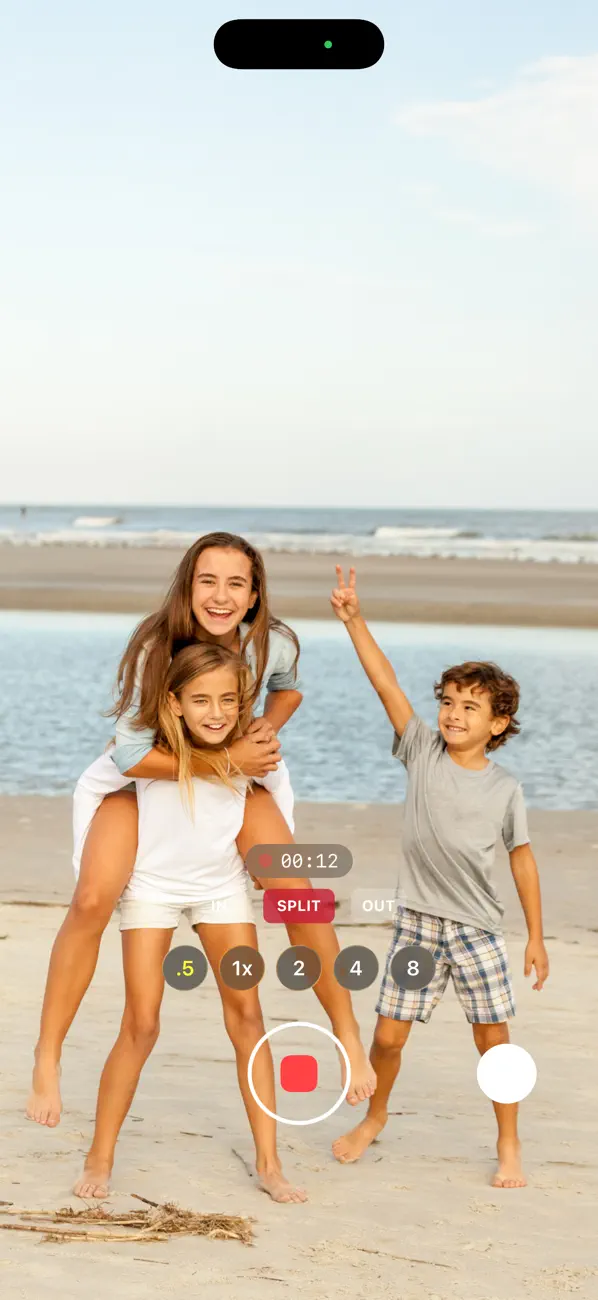
Capture
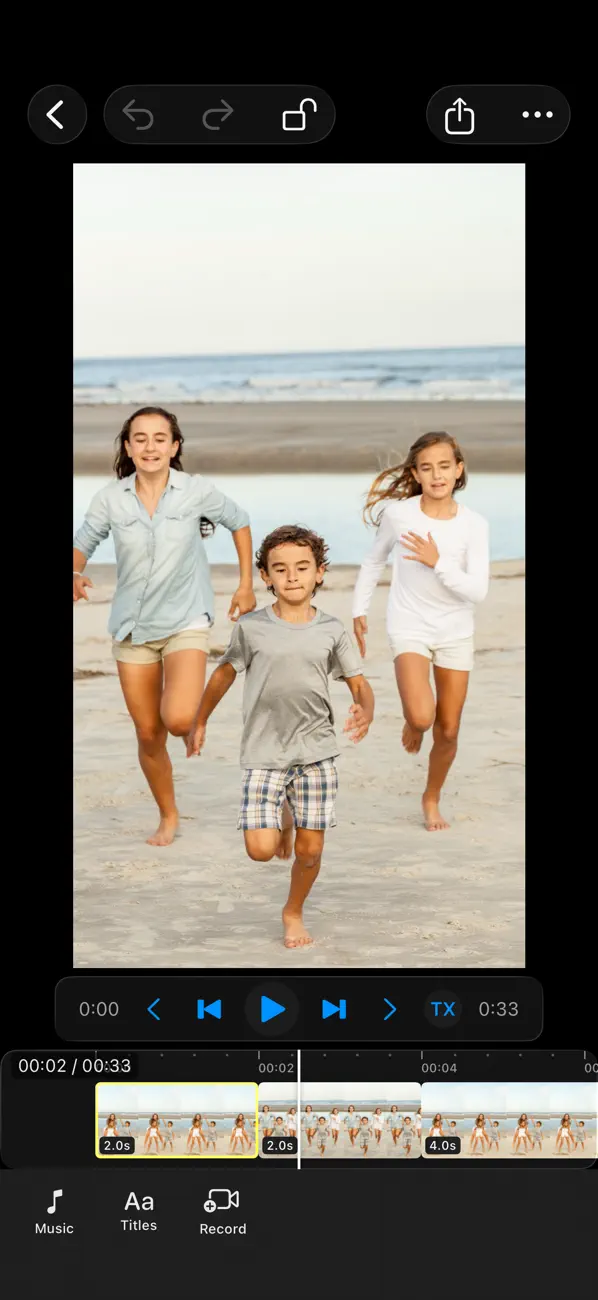
Edit
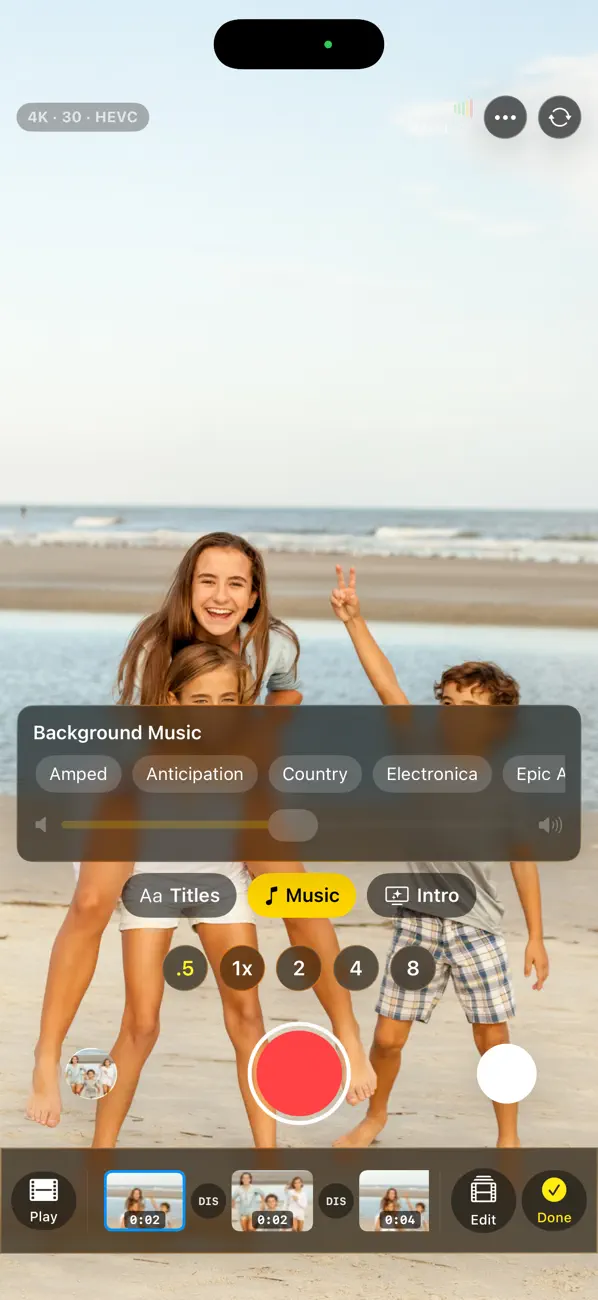
Finish
01—10
Explore the complete marketing series, built around Vizzywig’s camera-to-editor workflow. Switch between iPhone and iPad compositions, or open any image for a closer look.
Your movie takes shape between takes.
Keep the moment. Tighten the take.
Choose your music right in the camera.
Record clips. Pause. Keep your story moving.
Titles and credits, right where you shoot.
A bigger preview. A timeline made for editing.
Choose transitions. Shape the rhythm.
Focus. Exposure. White balance.
Keep your projects together in one place.
From the final edit to your Camera Roll.
Your movie takes shape between takes.
Keep the moment. Tighten the take.
Choose your music right in the camera.
Record clips. Pause. Keep your story moving.
Titles and credits, right where you shoot.
A bigger preview. A timeline made for editing.
Choose transitions. Shape the rhythm.
Focus. Exposure. White balance.
Keep your projects together in one place.
From the final edit to your Camera Roll.
Marketing compositions use published app-interface references. Some panels show a feature entry point rather than its full detail screen. Artwork is illustrative, not captured footage.
VIZZYWIG
The App Store listing describes these capture options. Actual availability varies by hardware, operating system and recording mode.

VIZZYWIG
A simple creative starting point, not a rigid formula. Try it with a family afternoon, a weekend trip or a short story of your own.
Choose a beginning, a detail and an ending. Give each shot one job in the story.
Trim the start and finish of each take. Place your clips in the order that makes the idea clear.
Choose music that fits the feeling, adjust clip volume, and leave room for the sounds that matter.
Add a title and credits if they help the story. Preview the sequence, then export and share.
Recording, editing and finishing in one app.
Keep your movie moving from the first take to the final cut. Vizzywig brings recording and editing into one workflow, so you can shape your story between takes.
BUILD AS YOU GO Trim a take, change the clip order, and choose titles or background music while working on your project. Add an intro and credits to give the finished movie a clear beginning and end.
REFINE YOUR EDIT Work with a zoomable timeline, split and rearrange clips, adjust clip volume, and add transitions. Undo and redo let you revisit editing decisions.
RECORD YOUR WAY Use manual camera controls and supported capture formats. Available resolutions, frame rates, camera combinations, and professional formats depend on your device and recording mode.
Recording and exporting require a subscription. Review the current plan, renewal period, price, and any trial terms in the purchase screen before subscribing.
The ruby film ribbon and paper boats from Vizzywig’s promotional artwork express the same idea as the app: individual moments becoming a story.


Marketing storyboard using still app references. This is not a live recording or a demonstration of processing speed.
VIZZYWIG
Two granted patents connected to founder Michael Zaletel’s work: one for capture-and-edit software, and a separate ornamental camera-stabilizer design. The hardware design patent is not a patent on the Vizzywig app.
VIZZYWIG
Vizzywig is a video camera and editor from i4software for iPhone and iPad. It brings recording, trimming, arranging, titles and music into a connected workflow.
Yes. The camera workflow includes clip trimming, ordering, titles and music, allowing your movie to take shape between takes.
You can trim, split and rearrange clips, work with transitions, adjust clip volume, add background music, and use titles and credits.
Recording and exporting require a subscription. Check the in-app purchase screen for current plans, prices, renewal periods and trial terms.
Vizzywig is designed for iPhone and iPad. Check the App Store for current compatibility. Professional formats, resolutions and camera combinations depend on your device and mode.
Website language choices describe this website only. They do not promise a localized app interface. Check the App Store for the current app language list.
Your next story starts here.
Recording and exporting require a subscription.